
Quick Start
What this page covers
Section titled “What this page covers”From a fresh clone to a private, authenticated write and search using Docker Compose, Admin onboarding, and the published CLI.
Core workflow
Section titled “Core workflow”You need Git, Docker, and Docker Compose. Node.js is only needed later to install the CLI.
- Clone Postgram:
git clone https://github.com/ivo-toby/postgram.gitcd postgram- Choose an embedding provider before starting Compose. For the local path, install and start Ollama on the Docker host, then pull the default embedding model:
ollama pull bge-m3For hosted OpenAI embeddings instead, create a .env file with an actual
OpenAI API key:
OPENAI_API_KEY=<your-real-openai-api-key>Do not copy .env.example for this first-run path. The default Compose setup
creates and persists its PostgreSQL and Admin installation secrets itself.
- Start the stack:
docker compose up -d --build- Recover the one-time first-admin bootstrap token:
docker compose logs mcp-server | grep 'Bootstrap token:' | tail -n 1The plaintext token exists only in the original first-start logs. Capture it before recreating the API container or discarding those logs.
- Open http://127.0.0.1:3000/admin, paste the token, create the first admin user, and enroll MFA with an authenticator app.
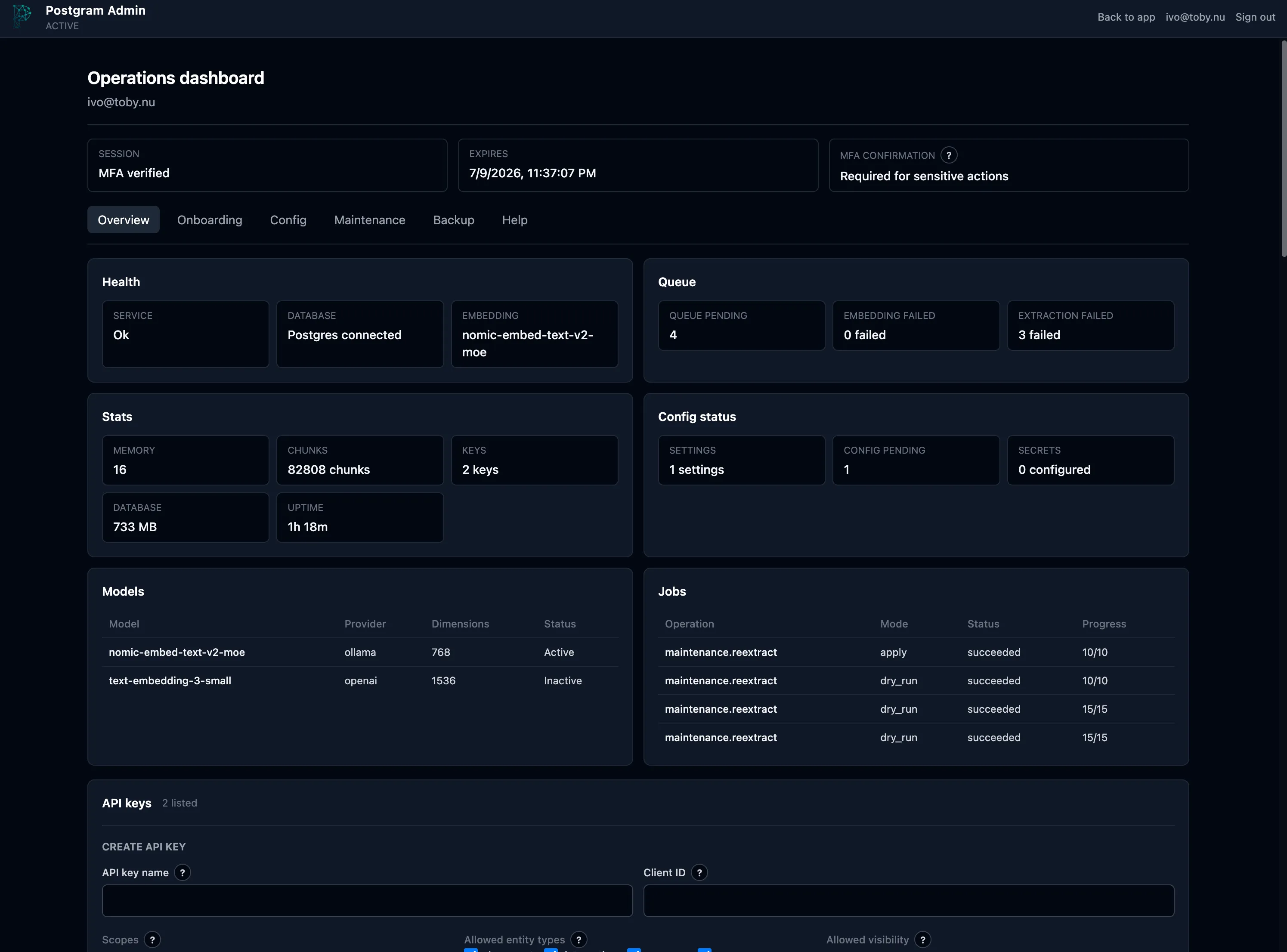
After the first active MFA login, Admin opens the guided onboarding flow.
Confirm the embedding provider in Config. For staged provider settings,
save, validate, and apply the settings; restart mcp-server when Admin says a
restart is required:
docker compose restart mcp-serverChanging the embedding provider, model, or dimensions after the first start is migration work, not a simple configuration apply.
- Check basic service health:
curl -fsS http://127.0.0.1:3100/healthThe response should include "status":"ok" and "postgres":"connected".
That proves HTTP and PostgreSQL are healthy; it does not prove the embedding
provider is reachable.
- In the Admin Overview tab, create an API key. For the smoke test below, grant exactly:
readandwritepermissions- the
memoryentity type personalvisibility
Copy the plaintext key when it appears; Postgram stores only its hash and does not show the same value again.
- Install the CLI and run a private smoke write:
npm install -g @ivotoby/postgram-cliexport PGM_API_URL=http://127.0.0.1:3100export PGM_API_KEY='<plaintext-api-key>'
pgm store "Postgram quick start is working" --type memory --visibility personal --tags quickstartpgm queue
Wait until pgm queue shows that pending enrichment has cleared, then search:
pgm search "quick start"- If health fails, inspect
docker compose logsfor startup and PostgreSQL boot issues. - If enrichment remains pending or the search fails, verify that the embedding
provider selected in Admin is reachable from
mcp-server. - Onboarding progress is stored in Postgres. Browser refreshes, sign-out/sign-in,
and ordinary container restarts resume at the latest saved step as long as
the
pgdatavolume is preserved. - Do not use
docker compose down -vunless you intentionally want to remove the Postgres volume and reset onboarding with the rest of the installation. - See Admin Interface for the complete operator walkthrough.